Home / Common Smartphones Problems
Why Am I Not Receiving SMS Messages? Causes and Fixes
Difficulty : Advanced
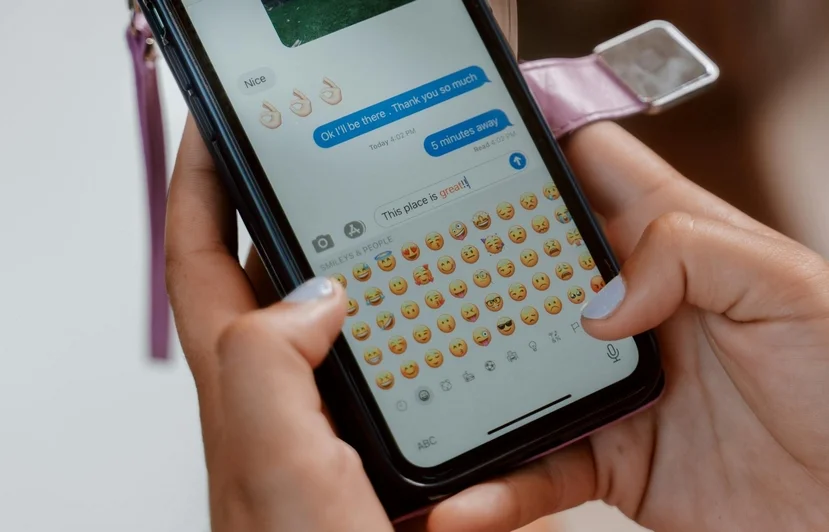
Your Phone is not receiving SMS ? This article explains the main causes and the best solutions!

Fixing a Problem With SMS Reception
Can’t receive text messages anymore? This article explains the most common causes and the appropriate solutions.
You can send SMS messages normally, but you’re no longer receiving them?
This issue is fairly common on Android phones and modern smartphones.
In most cases, it isn’t a serious malfunction. It’s usually just a setting or feature accidentally enabled, such as RCS chat, number blocking, or a network issue.
Here are the most common causes and quick fixes to restore your SMS reception.
Also, if you can't make calls, check this SMS troubleshooting guide !
1. RCS Chat Can Prevent Some SMS From Arriving
On many recent Android phones, the Messages app uses the RCS chat feature. This system sometimes replaces traditional SMS messages with messages sent through the internet, in a way that is similar to apps like WhatsApp.
Problems can occur when the RCS service is not working correctly, when the internet connection is unstable, or when the phone fails to switch back automatically to standard SMS messages. In these situations, some messages may never reach your phone.
Solution
To fix the issue, you can disable RCS chat. Open the Messages app, go to Settings, then select Chat features and turn off the option Enable chat features.
This is often the most effective solution on recent Android phones.
As someone who provides in-home computer repair services in France, I recently encountered this problem with a client who had bought a new smartphone, a Honor 400, but was not using it because she never received SMS messages even though she could send them without any problem.
The issue was resolved simply by disabling RCS chat. I’m not sure whether it was caused by the Honor Android interface or another configuration, but disabling RCS has already fixed several phones in my experience. That is why I recommend trying this solution first.
2. Mobile Network Problem
SMS messages are transmitted through the mobile network. If your phone has a weak signal or if the network connection temporarily glitches, messages may still be sent successfully but fail to arrive on your device.
Some simple checks can often fix the problem. You can try enabling and then disabling airplane mode, restarting the phone, checking that the device is properly synchronized with your carrier’s SMS server, and confirming that the SIM card is correctly inserted in the phone.
In many cases, simply restarting the device is enough to restore SMS reception.
Check the SMS Service Center (SMSC)
On Android phones, SMS messages pass through a SMS service center, often called the SMSC, which is managed by your mobile carrier. This number allows the phone to send and receive messages through the mobile network.
Normally, the SMS service center number is automatically configured by the SIM card. However, it can sometimes be missing or incorrect after changing phones, resetting the device, or experiencing a bug in the Messages application.
You can verify this setting in the Messages app by going to Settings, then Advanced settings, and looking for SMS service center. The exact path may vary depending on the phone brand.
If necessary, you can manually enter the SMS server number provided by your mobile carrier. Once the correct number is saved, the phone should reconnect to the SMS server and restore both message sending and reception.
3. A Number May Be Blocked by Mistake
Your phone may filter certain messages without you realizing it. This can happen if a number has been accidentally blocked, if spam filtering is enabled, or if messages are redirected to a junk or spam folder.
In these cases, the SMS messages technically arrive on the device but do not appear in the main conversation list.
To check this, open the Messages app settings, review the blocked numbers list, and also look for any spam or junk message folders that might contain the missing messages.

4. The Messages App May Be Bugging
Like any application, the Messages app can sometimes malfunction. This may happen if the application cache becomes overloaded, if a conversation thread becomes corrupted, or if the app has not been updated for a long time.
A quick fix often resolves the issue. You can force stop the Messages application, clear the application cache from the phone settings, and then restart the device. These steps often refresh the app and restore normal SMS functionality.
4. Carrier Problem (Verizon, AT&T, T-Mobile, etc.)
In rarer cases, the problem may come from your mobile carrier rather than the phone itself. There may be a temporary local network outage, the SMS service could be disabled on your line, or there may be an incorrect configuration on the carrier’s side.
If none of the previous solutions work, it may be necessary to contact your carrier’s customer support so they can verify the status of your mobile line.
Conclusion
If you can send text messages but cannot receive them, the problem is usually related to a phone setting rather than a serious hardware failure.
In many situations, the issue is caused by RCS chat being enabled, a temporary network or SIM card issue, or message filtering such as blocked numbers or spam detection.
Before contacting your mobile carrier, it is recommended to check these simple steps: disabling RCS chat, restarting the phone, reviewing blocked numbers, and confirming that the mobile network is working correctly.
These checks are often enough to restore normal SMS reception.
Thibaut Mathieu
Related Articles
End of the troubleshooting guide
You now know how to fix a smartphone that is no longer receiving SMS messag

No internet on my phone

My phone is not charging
What should you do if your phone no longer charges?

My phone Freezing

Thibaut MATHIEU
Editor of Premiers Clics
Editor and writer of Premiers Clics, and author of the book “Je me mets à l'informatique” (only avalaible in french), I share all my computer knowledge to help you learn, using the Premiers Clics computer courses.
Also the manager of a computer support and repair company, I fully understand your needs in computer training and assistance. Every day, I answer my clients’ questions about their computers, phones, or tablets.
This experience has given me extensive knowledge in consumer digital technology, allowing me to separate fact from fiction in device protection, identify the most common user mistakes, and provide numerous tips to make the best use of PCs, smartphones, and tablets.

0 commentaire