Windows Courses / Internet Course
View Download History on PC – Find Downloaded Files (Chrome, Edge, Firefox, Opera...)
Difficulté : Facile
Navigateur requis : Google Chrome
The browser download history
The download history allows you to easily find a downloaded file (such as an email attachment), or simply to check what has been downloaded to your PC. It is also possible to easily find downloaded files through Windows File Explorer, especially if you want to delete them. If you want to learn more, learn computer skills online with all our free courses.
Sommaire
- View the download history
- View downloaded files
1. View the download history
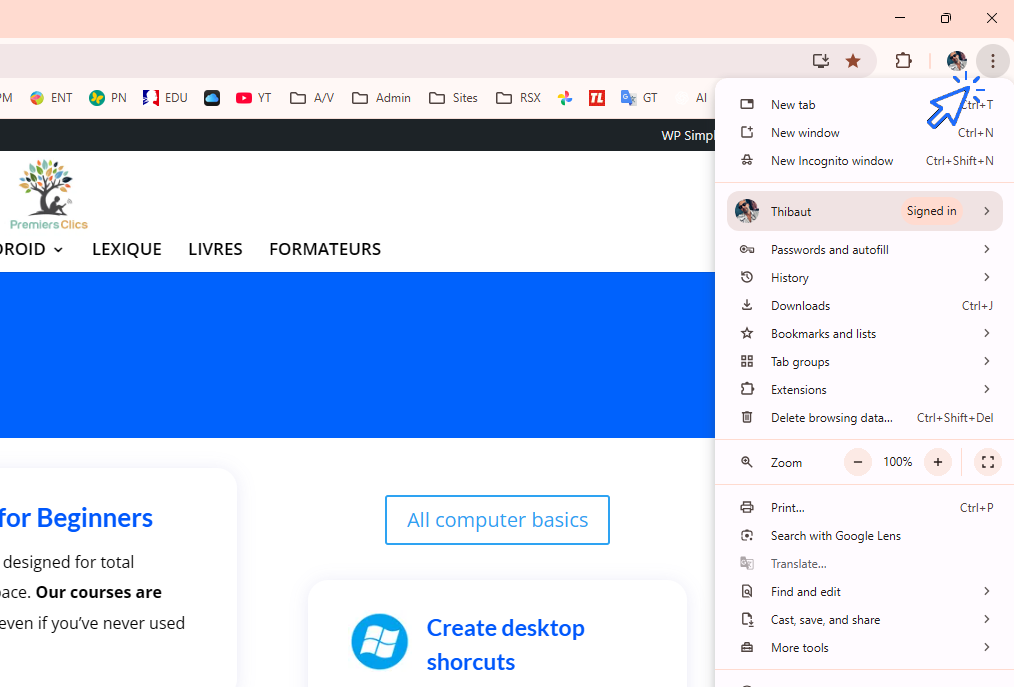
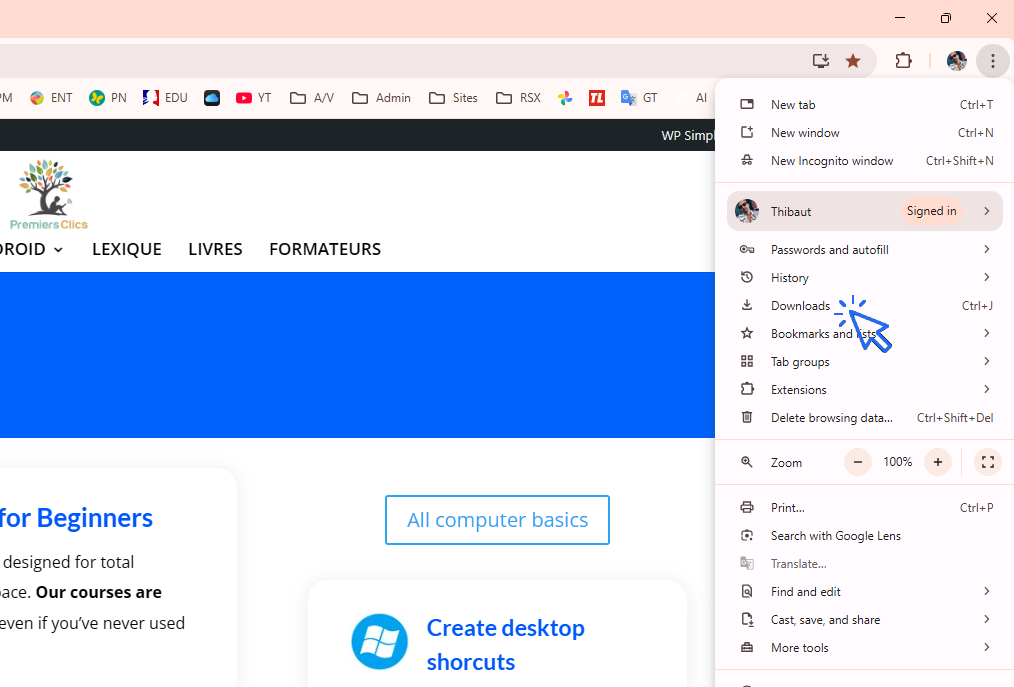
In Google Chrome, as in many other browsers, the browsing history is accessed from the menu. In Chrome, click on “Menu” and then on “Downloads”. This allows you to easily find a website or a page you visited recently, or even a long time ago!
You can also display the download history using the keyboard shortcut “Ctrl” + “J”.
Path: “Menu” → “Downloads”
To access the download history using the mouse, first open the Chrome menu:
Then click on “Downloads”:
2. View downloaded files
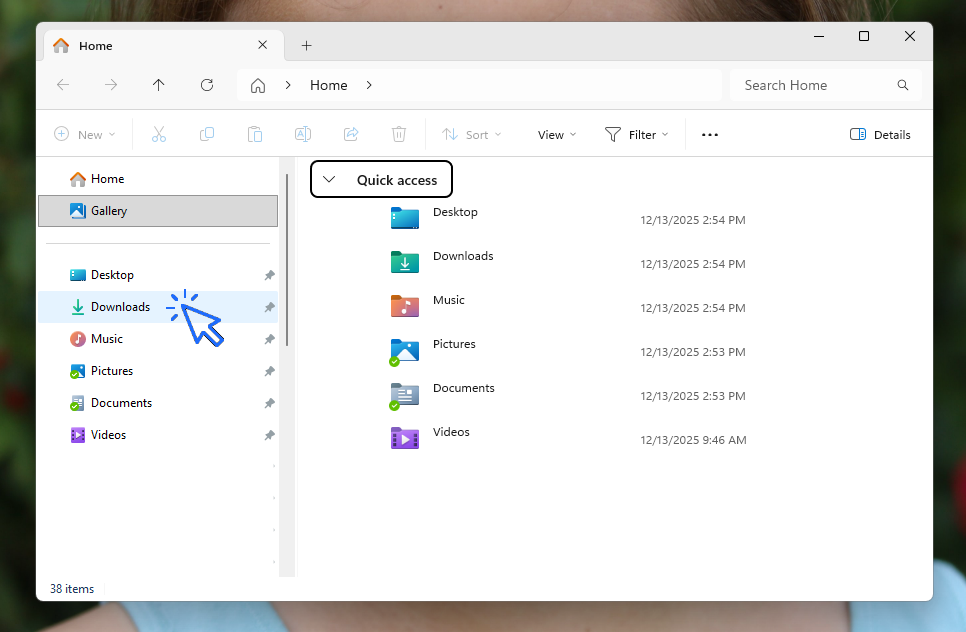
Files downloaded using your browser are stored in the “Downloads” folder. To find all your downloaded files, open File Explorer and click on the folder located in the side menu. Unlike the download history, this method allows you to manage your files (copy, move, delete, etc.). We recommend clearing this folder regularly.
Good to know: where downloaded email attachments are saved
This folder also contains email attachments saved from your email account. Instead of spending a lot of time searching for a specific email that contains the attachment you need, go directly to this folder—it will save you time.
Of course, the attachment must have been downloaded at least once (so only if you think you have already downloaded it). This is why you probably have many duplicates in the “Downloads” folder: you have downloaded the same attachment several times.
The action in video :
Find out how to view downloaded files in this video:
End of lesson
Now you know open browser download history.

Change Wallpaper
How to change the Windows Wallpaper. Windows Course

0 commentaire