Home / Computer & Internet Troubleshooting
Is Outlook or Microsoft 365 Down Right Now? Check Live Status






View passwords saved by Google Chrome (or Edge, Firefox, Opera…)
Can't access your email? Is Outlook.com not working, or are you experiencing problems with Microsoft 365, Outlook Live, or Exchange Online? Before changing your password or troubleshooting your computer, check whether Microsoft is experiencing a service outage.
The websites below help you check if Outlook or Microsoft 365 is down right now, view outage reports from other users, and find official updates from Microsoft. Whether you use a personal Outlook.com account or a business Microsoft 365 subscription, these tools can help you identify possible service interruptions.
1. Check if Outlook or Microsoft 365 is down right now
If Outlook.com won't load, Microsoft 365 applications are unavailable, or you cannot access your business email, start by checking these websites.
Find out at a glance what each service offers:
Service | Category | Available Information |
|---|---|---|
Downdetector | Community | User outage reports |
Microsoft | Official | Confirmed incidents |
IsDown | Monitoring | Outage history |
UptimeCheck | Testing | Availability tests |
On a computer, hold down Control to open the website in a new tab (recommended).
1.1. Downdetector – Outlook and Microsoft 365
Downdetector collects reports from users experiencing problems with Microsoft services. Its graphs help identify unusual increases in outage reports, which may indicate a widespread interruption affecting Outlook, Microsoft 365, or other Microsoft products.
Checking both pages is useful because Outlook.com and Microsoft 365 do not necessarily experience the same outages. You can also check Microsoft Teams if several Microsoft services appear to be unavailable.
1.2. Microsoft Service Health – Official status
Microsoft provides official information about incidents affecting its cloud services. For personal accounts, look for Outlook.com under Microsoft consumer products. For business subscriptions, check services such as Exchange Online, Microsoft 365, and Outlook.
Business administrators can also access detailed incident information through the Microsoft 365 admin center. This is particularly useful when employees cannot access their company email or Microsoft 365 applications.
1.3. IsDown – Outlook status monitoring
IsDown provides service availability information, reported incidents, and outage history. It can help you determine whether other users are experiencing problems with Outlook or Microsoft services.
Comparing its reports with Downdetector and Microsoft's official status information gives you a better picture of a possible outage.
1.4. UptimeCheck – Test Outlook availability
UptimeCheck provides website availability checks to help identify whether a website is responding. It is another way to investigate possible access problems when Outlook.com won't load or you cannot reach Microsoft's webmail service.
A website responding to an availability test does not necessarily mean that all Outlook features are working correctly. Login, email delivery, and account authentication can still experience problems even when the website itself is reachable.
1.5. Microsoft Support – Known Outlook issues
Microsoft Support publishes information about known problems affecting Outlook.com. These may include login errors, email delivery problems, synchronization issues, or features that are temporarily unavailable.
This is particularly useful when Downdetector does not show a major outage but Outlook is still not working properly. You can check whether Microsoft has already identified the problem and published a workaround.
4. Common Outlook and Microsoft 365 problems
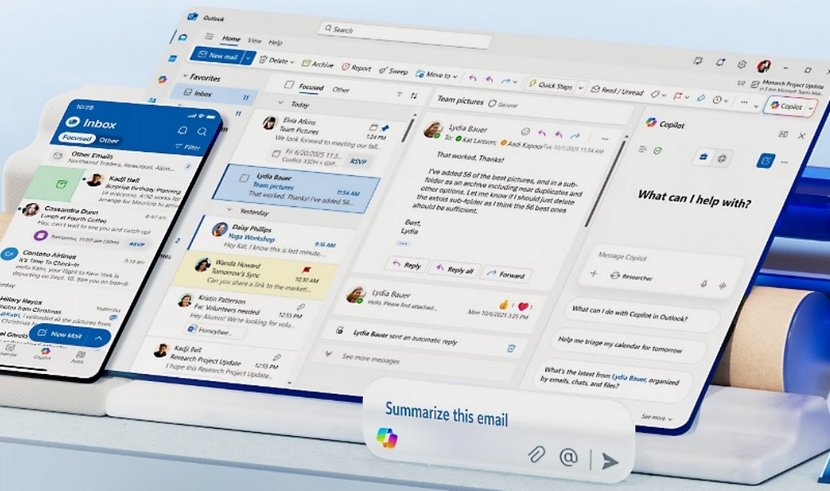
When Outlook or Microsoft 365 is down or not working, users may be unable to open their inbox, sign in to their accounts, send or receive emails, or access Exchange Online. Microsoft 365 users may also experience problems with other applications and cloud services.
Some problems only affect a particular service, account, or organization. For example, Outlook may work normally while Exchange Online experiences an incident affecting business email. Checking the status of each relevant service helps identify the source of the problem before attempting repairs.

Related Articles
Conclusion
If Outlook.com, Outlook Live, Microsoft 365, or Exchange Online is not working, check Downdetector and Microsoft's official service status first. These resources help you identify whether the problem affects other users or is limited to a particular Microsoft service.
If an outage is confirmed, wait for Microsoft to restore the service. If everything appears operational, investigate your browser, internet connection, or Microsoft account.
Windows Basics

Create folders
Learn how to create and organize folders in Windows.

Create an email account (Gmail)
How to create a Gmail account to send and receive emails.
Send emails and attachments
How to send emails and attachments. Example with Gmail.

Open iPhone Settings app
Tips to help you learn how to open the Settings app on an iPhone.

Recover deleted files
How to recover deleted files in the Windows Recycle Bin.

Change Google Chrome Homepage

Create desktop shorcuts
How to create shortcuts on the desktop.
Smartphone Tips & Tricks

Connect Bluetooth speakers to phone
How connect a BT device like a speaker to your phone.

Solve internet issues
How to fix the main internet connections issues. Main troubleshooting steps.
Common Smartphone Problems

My phone is not charging
What should you do if your phone no longer charges?

I can't make calls
Check this tips if you can't make calls anymore.
No internet on my phone

My phone restarts by itself
Why does your phone restart by itself and how to fix it.

Thibaut MATHIEU
Editor of Premiers Clics
Editor and writer of Premiers Clics, and author of the book “Je me mets à l'informatique” (only avalaible in french), I share all my computer knowledge to help you learn, using the Premiers Clics computer courses.
Also the manager of a computer support and repair company, I fully understand your needs in computer training and assistance. Every day, I answer my clients’ questions about their computers, phones, or tablets.
This experience has given me extensive knowledge in consumer digital technology, allowing me to separate fact from fiction in device protection, identify the most common user mistakes, and provide numerous tips to make the best use of PCs, smartphones, and tablets.
