
Home / Windows & Computer Basics / Internet & Email
How to Create a Gmail Account: Step-by-Step Guide for Beginners

Creating a Gmail email (Google Account)
Creating a Gmail email account is the first step to using the internet, sending emails, signing up for websites, and staying connected with friends and family. This step-by-step tutorial shows beginners exactly how to create a Gmail account quickly and safely.
Screenshots and clear instructions are provided to make the process easy for anyone, even if you’ve never used email before.
Creating an email address is the same as creating a Google account. Indeed, setting up a Google account involves creating a Google email address (Gmail, which stands for "Google Mail"). Some users only need an email address, while others need access to various Google services: Google Calendar, Google Photos, Google Contacts, Google Docs… or simply to be able to download apps from the Play Store.
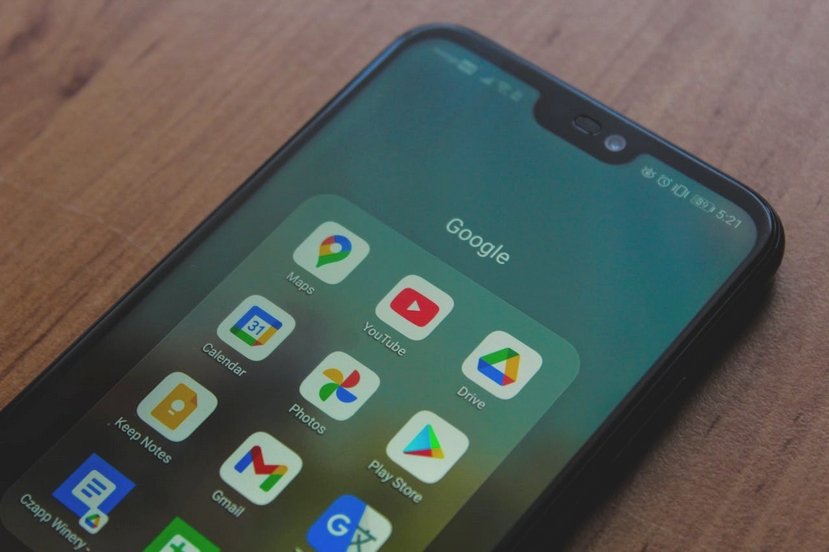
Creating a Gmail email address is the same as creating a Google account, as the two are inseparably linked
Table of Contents
1. Open the Gmail registration page
2. Enter your personal information
3. Add recovery information
4. Verify your phone number
5. Accept privacy and terms
6. Turn on or off smart features
7. Enjoy your mailbox
1. Open the Gmail Registration Page
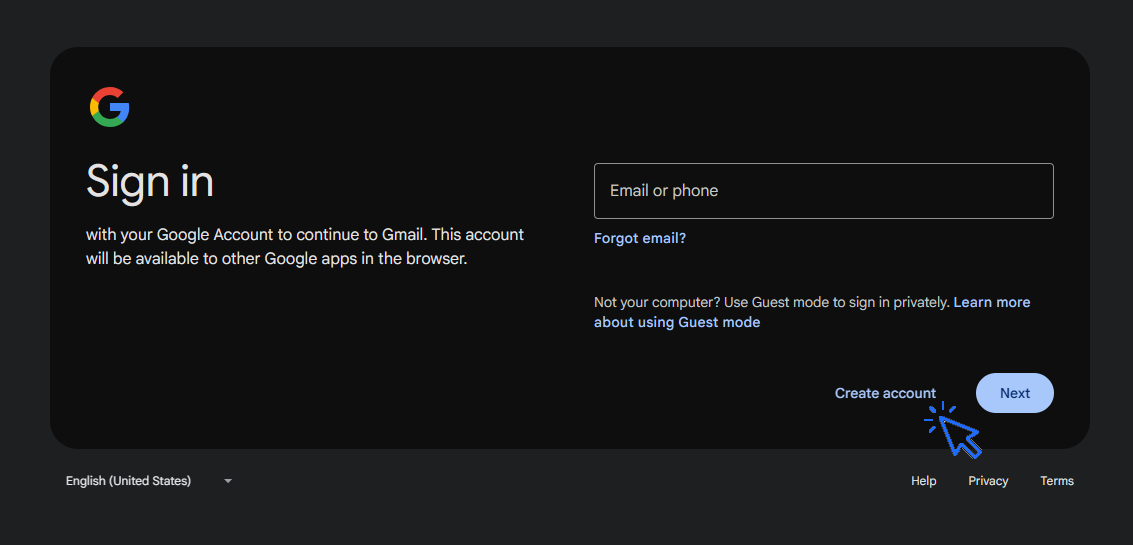
1. Go to Gmail
2. Click Create account → choose For myself.
2. Enter Your Personal Information
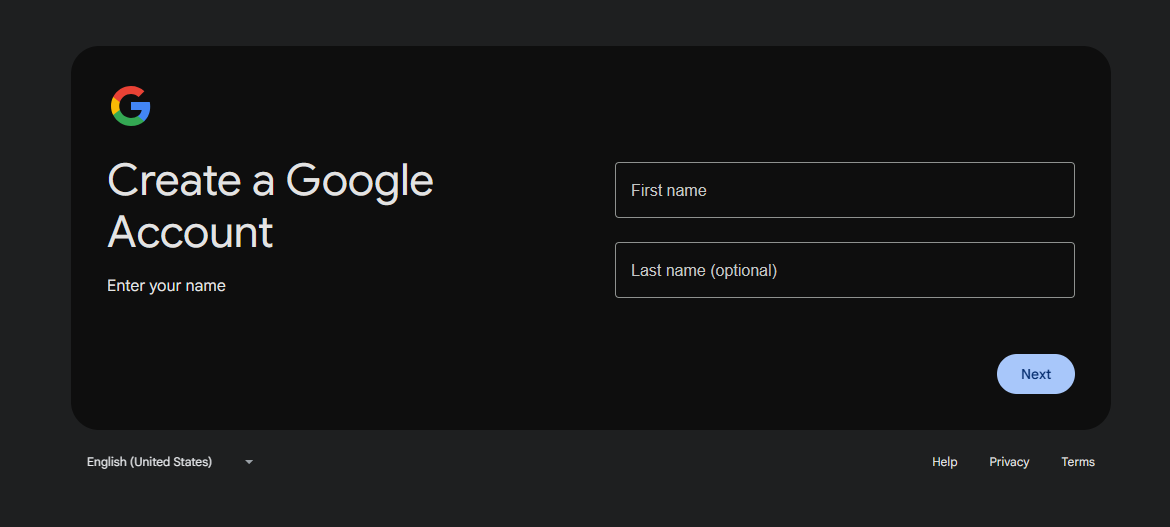
First and last name: enter your real name.
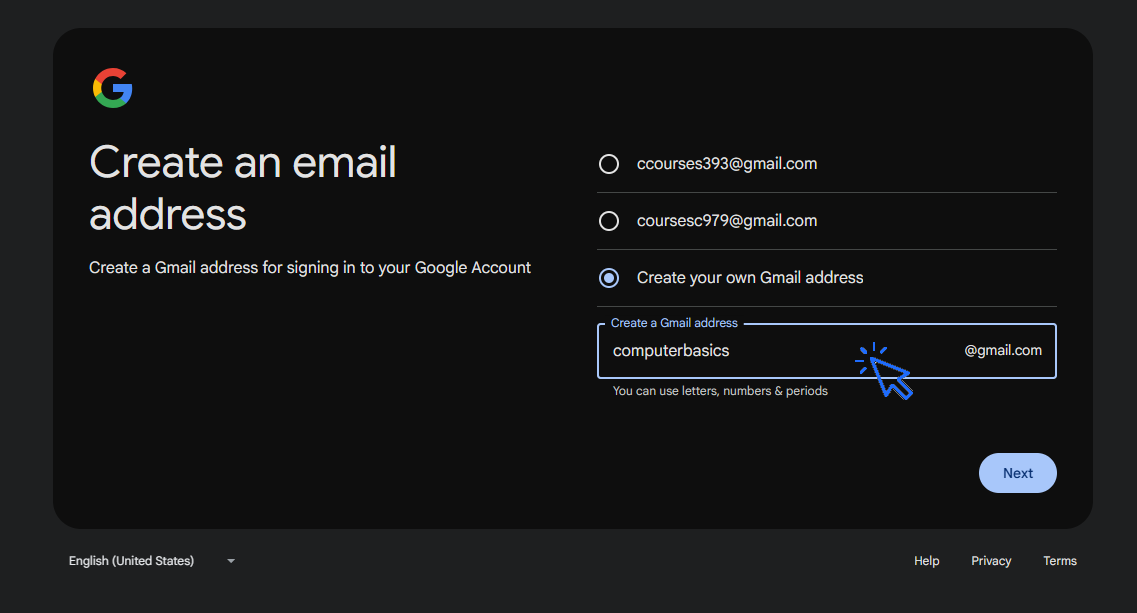
Username: choose your Gmail address (for example: yourname@gmail.com). Do not use capital letters.
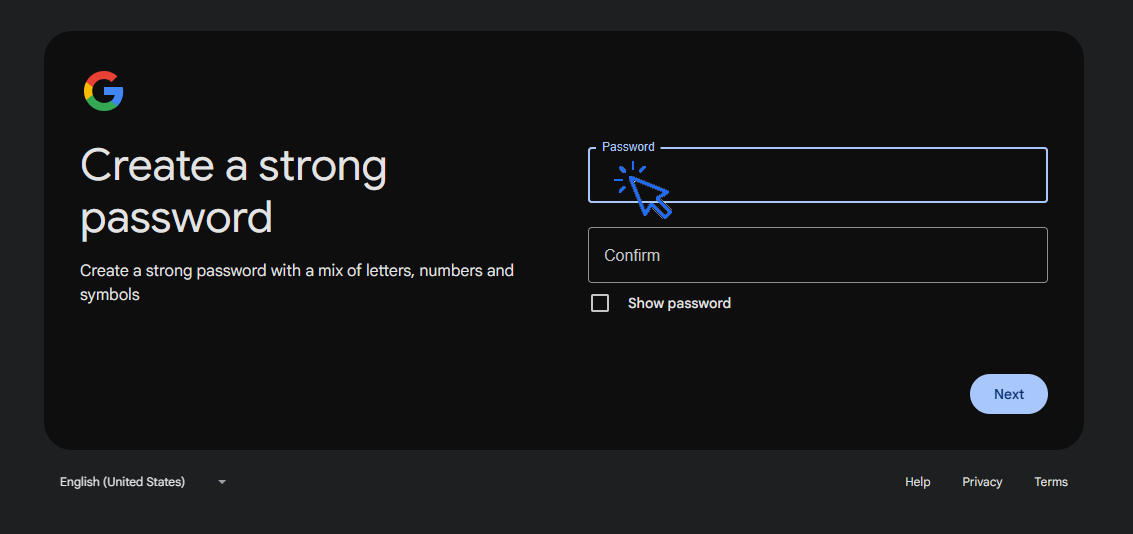
Password: enter a secure password and confirm it.
Tip: Use a combination of letters, numbers, and symbols for a strong password.
Click Next to continue. Let's see this in pictures. Enter your first and last name :
Then choose an available email address :
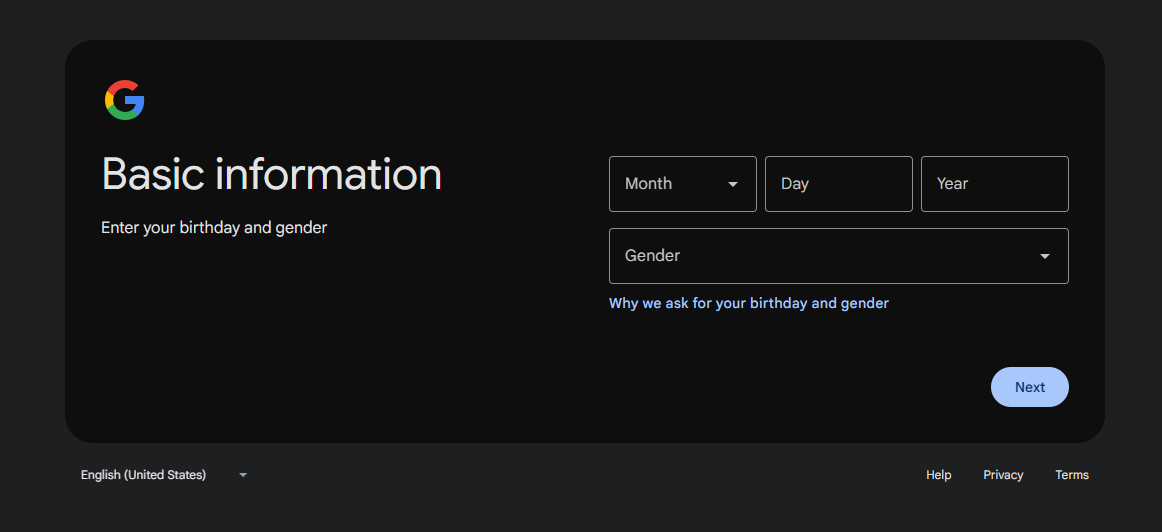
Enter your date of birth and your gender :
Create a strong password to protect access to your email :
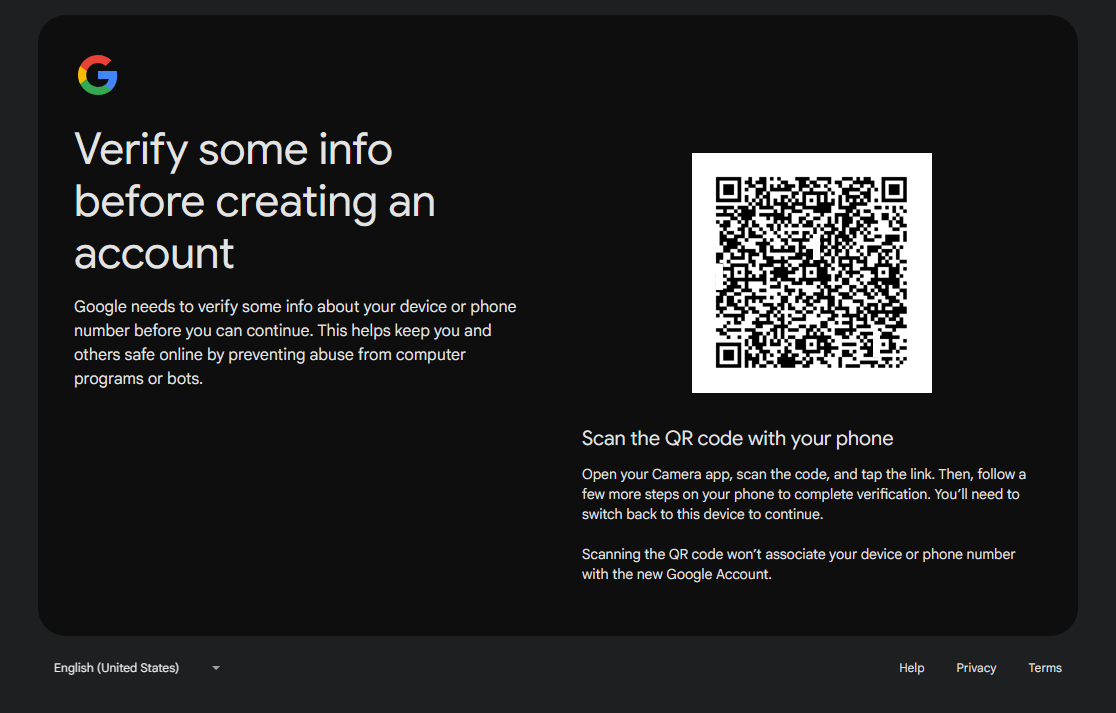
Then use the QR Code to verify some informations :
3. Add Recovery Information
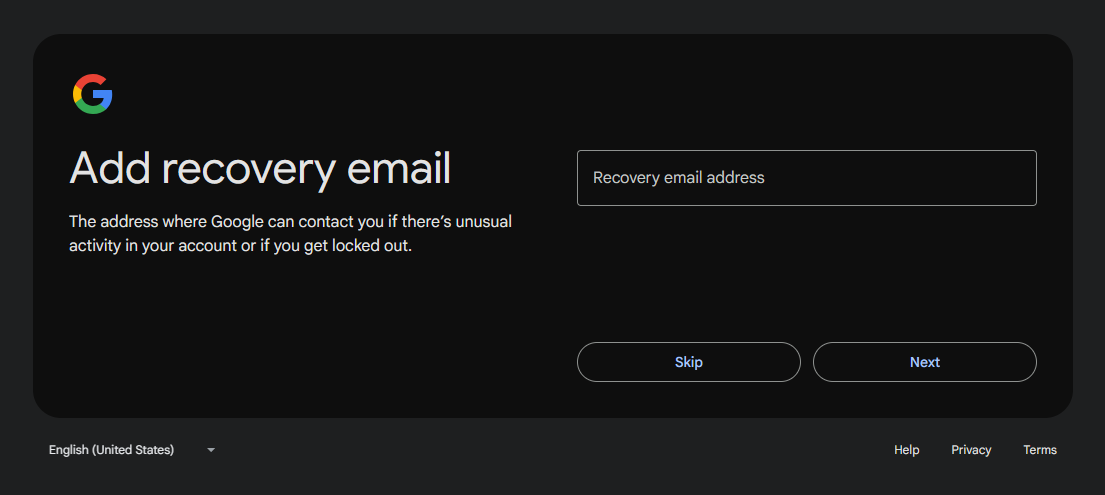
Recovery email address (optional but recommended).
Phone number
I strongly recommend that you provide your phone number. If you ever change your phone number, immediately update it in your Google account so that you can easily recover your Gmail account in case you forget your password.
Add a recovery email :
and a phone number :
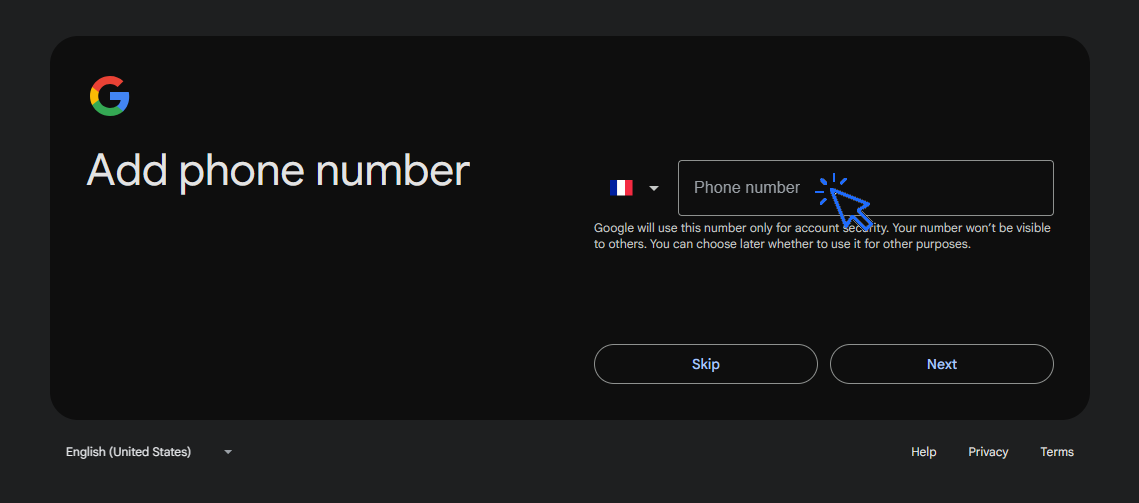
4. Verify Your Phone Number
Google requires a phone number for security.
Enter your number and click Next.
Enter the verification code sent via SMS :
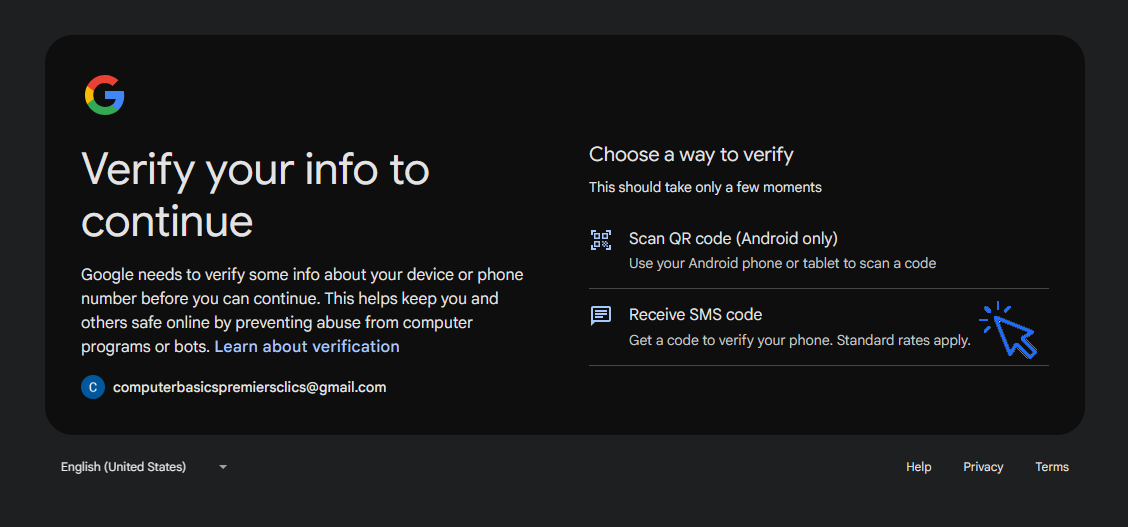
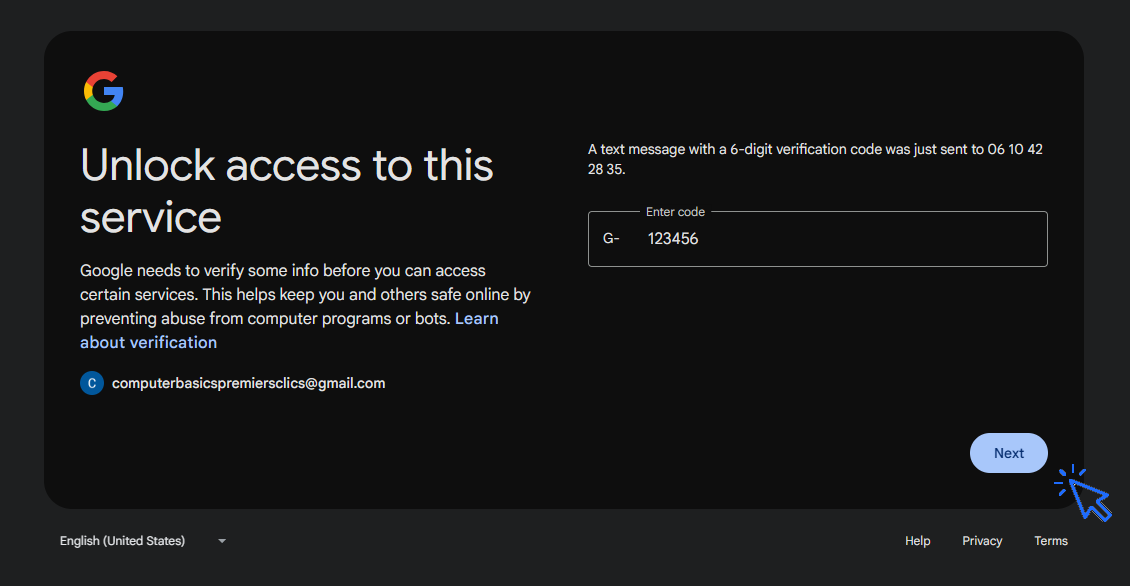
5. Accept Google Privacy and Terms
Read Google’s Privacy and Terms, then click I agree. You can reject the data collect.
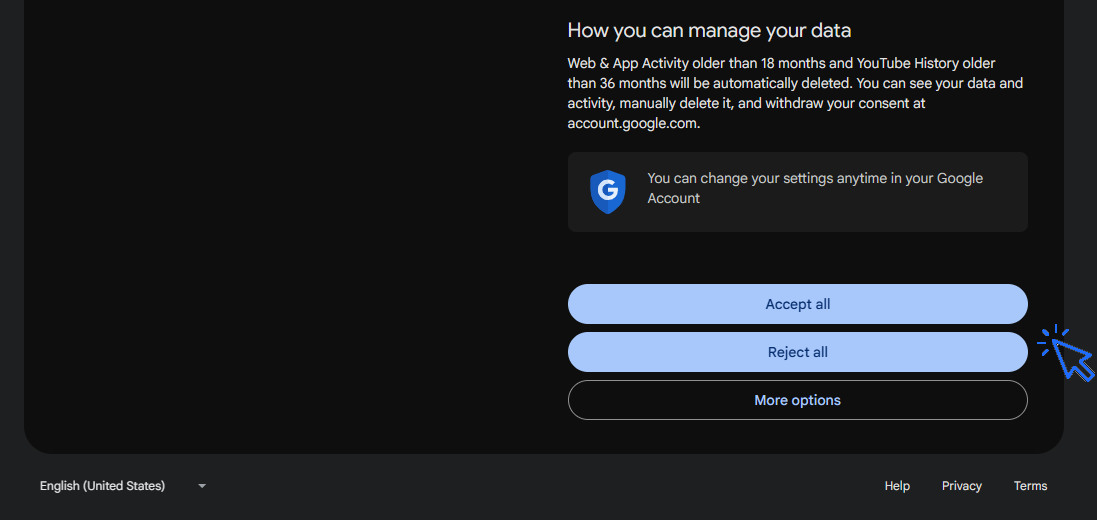
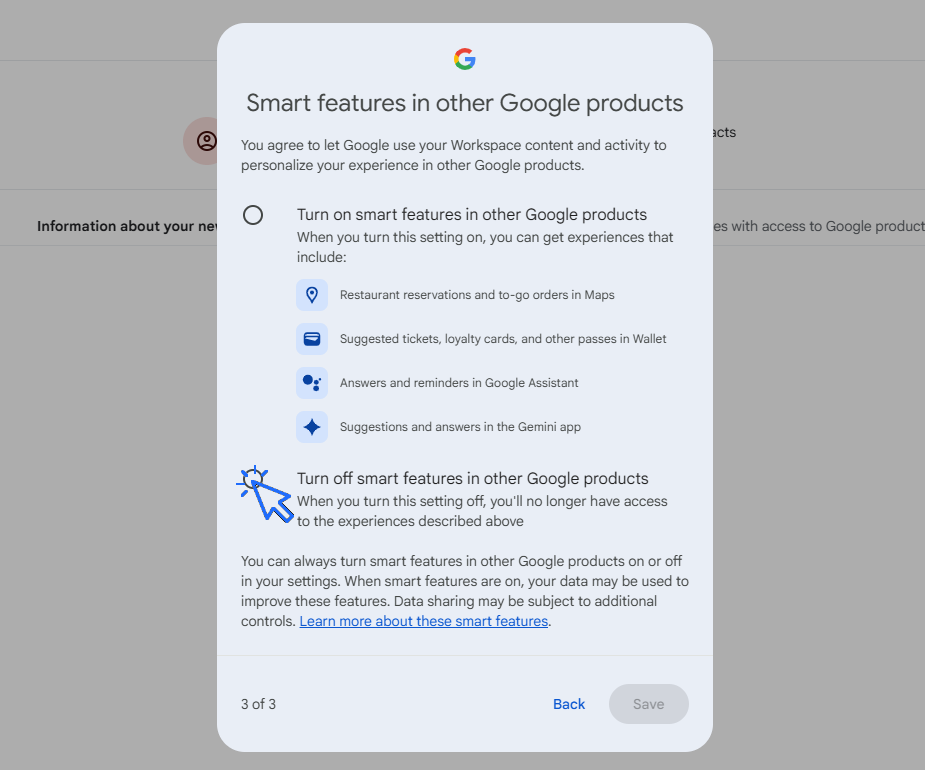
6. Turn on or off Smart features
Turn on or off the Gmail smart features (Gmail, Workspace and Google products). If you are a beginner, disable all these features, then click "Save". You can enable them whenever you want later.
7. Enjoy your mail box
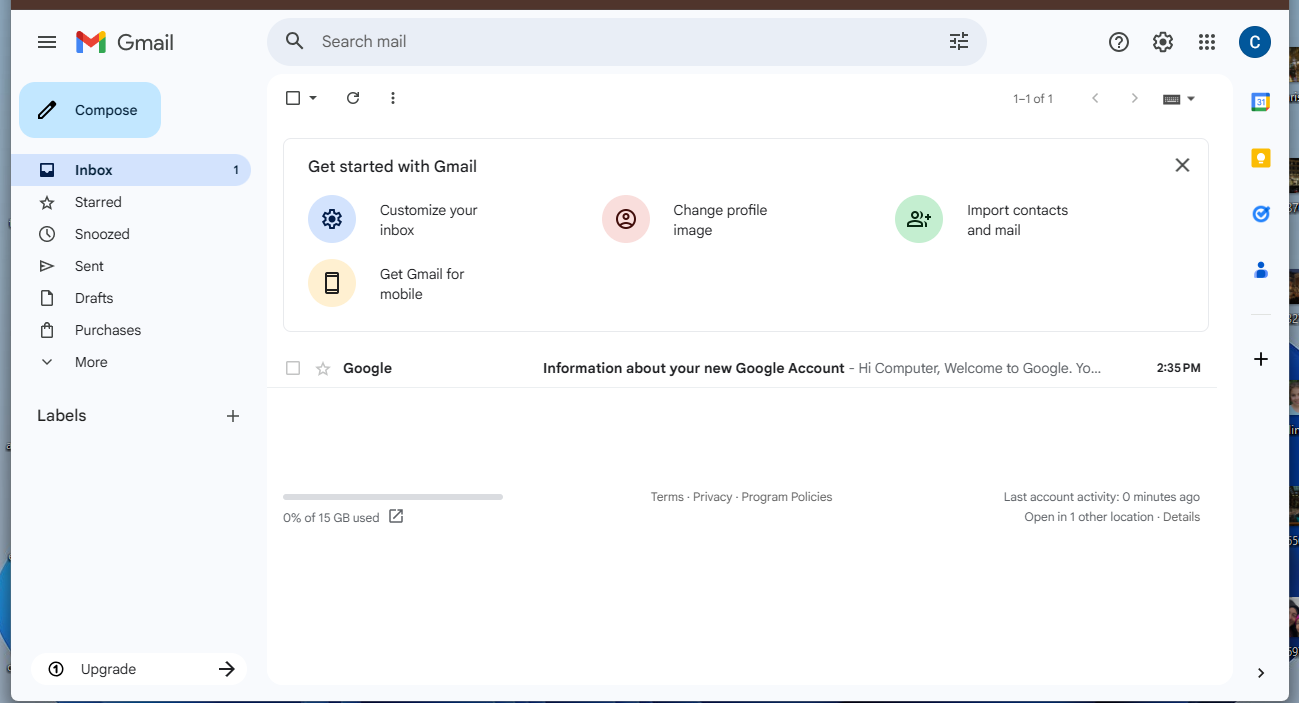
Your Gmail account is ready! You can now:
Organize emails in folders/labels
Tip: Add Gmail to your browser bookmarks and log in on your phone or tablet for easy access.
Related Articles :
Thibaut MATHIEU

Find wifi password with a phone
If you need to display the Wi-Fi password, you can do it with your smartphone.

Scan a document without printer
How to scan a document with a phone, without printer or scanner.

Free up space

Send emails and attachments
How to send emails and attachments. Example with Gmail.

Open a downloaded attachment
How do I open a file that I just downloaded.

Create desktop shorcuts
How to create shortcuts on the desktop.
Connect a wifi printer
How connect a printer to your wifi network and how install it in Windows.
View Google browsing
How to check your Google browsing in Chrome, Edge or Firefox.
Solve internet issues
How to fix internet issues. Main troubleshooting steps.

Backup your computer
How to backup your computer in Windows.

Transfer contacts

Restore contacts on a new phone
How to restore contacts to a new phone. How to get easily your contacts on your new phone.

Delete browsing history
How to delete your browsing history in Chrome, Edge...

No internet on my phone
Check this link if you have no internet on your phone.

Thibaut MATHIEU
Editor of Premiers Clics
Editor and writer of Premiers Clics, and author of the book “Getting Started with Computers” (only avalaible in french), I share all my computer knowledge to help you learn, using the Premiers Clics computer courses.
Also the manager of a computer support and repair company, I fully understand your needs in computer training and assistance. Every day, I answer my clients’ questions about their computers, phones, or tablets.
This experience has given me extensive knowledge in consumer digital technology, allowing me to separate fact from fiction in device protection, identify the most common user mistakes, and provide numerous tips to make the best use of PCs, smartphones, and tablets.

0 commentaire