
Home / Common Smartphones Problems
Android Phone Volume Too Low? Here's How to Fix It
Difficulty : Easy
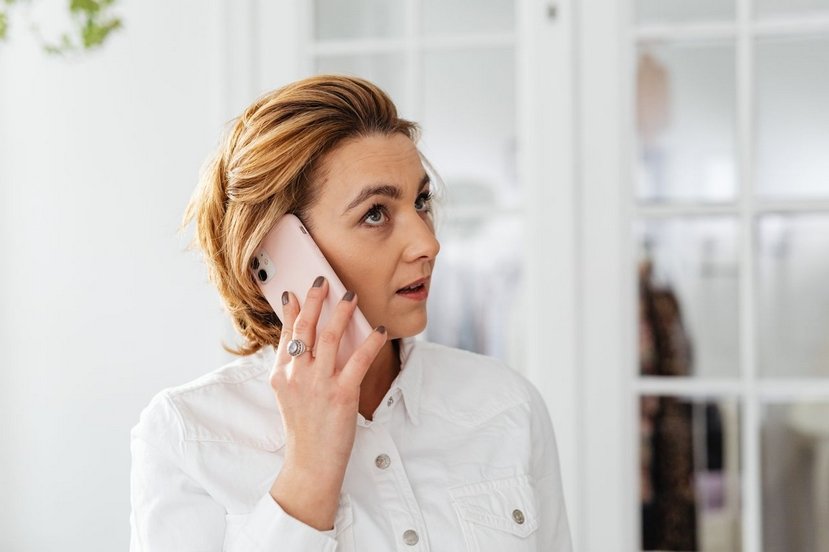
Are you experiencing sound issues with your smartphone? The problem is often caused by incorrect volume settings or a clogged speaker.

Volume Too Low
A phone speaker that is too quiet can quickly become frustrating, whether you're making calls, watching videos, or listening to music. In some cases, the speaker volume is so low that it's difficult to hear the person you're talking to or even important notifications.
This problem can have several causes. It may simply be an incorrect volume setting, a clogged speaker, or a software bug. In rarer cases, a hardware fault may be responsible. In this guide, you'll learn why your phone speaker is too quiet and discover the most effective solutions to restore normal sound volume.
Table of Contents
- Clogged Speaker
- Incorrect Volume Settings
3. Software or App Bug, and 5G Network Issue
4. Damage Speaker
1. Clogged Speaker
The most common cause of a phone speaker that's too quiet is a clogged speaker (many smartphones have two). Over time, dust, lint, and other debris build up in the speaker grille, blocking the sound and reducing the volume. This often happens when a phone is carried in a pocket, bag, or other dusty environment.
In many cases, carefully cleaning the speaker grille with a soft brush or a vacuum cleaner is enough to restore the sound. I generally recommend a vacuum cleaner rather than compressed air, which can push dust deeper into the device. You can also gently use a fine needle to clear the speaker or microphone grille. If people can barely hear you during calls, a blocked microphone is often the cause. Regular cleaning helps prevent these problems. I regularly clean my phone, especially the small grille at the bottom. Between pocket lint and sand (I live near the beach 😉), it gets clogged quite quickly.
How many speakers does my smartphone have?
On some phones, especially entry-level or older models, there is only one speaker. It is usually located at the bottom of the phone near the charging port.
This speaker is used to play sound from videos, music, games, and sometimes speakerphone calls.
2. Incorrect Volume Settings on Your Phone
One of the most common reasons for a phone with low sound is simply incorrect volume settings.
Most Android smartphones and iPhones don't have just one volume control. Instead, they use several independent audio levels that can be adjusted separately. As a result, your ringtone may be loud while your call volume or media volume is set very low without you noticing. The main volume categories usually include:
Call volume
Media volume (music, YouTube, videos...)
Notification volume
Alarm volume
System sounds
If one of these levels has been reduced accidentally, your phone may seem much quieter than usual.
2.1 Silent Mode and Do Not Disturb can reduce phone sound
Another setting worth checking is Silent Mode or Do Not Disturb. These features can mute or greatly reduce calls, notifications, and other sounds depending on how they are configured. Since smartphones rely on touchscreens, it's surprisingly easy to activate one of these modes by mistake.
2.2 How to check your volume settings
On most Samsung Galaxy phones, simply press the Volume Up (VOL+) or Volume Down (VOL-) button to display the main volume slider. Then tap the three dots (...) to open the complete sound controls. From there, you can adjust each audio category individually, including:
Ringtone
Media (music and videos)
Notifications
System sounds
AI Assistant (on supported devices)
Taking a minute to review these settings often fixes low phone volume problems without needing any repairs or additional apps.

3. Software Bug, App, or 5G Network Issue
A software bug, a recently installed app, or even your mobile network settings can sometimes make your phone seem quieter than usual. After a system update, some audio settings may change unexpectedly, and restarting the phone is often enough to fix the problem. If the issue started after installing an app, uninstalling it or checking for updates may also help.
Another solution I've found surprisingly effective while helping my clients is disabling 5G. In some areas, unstable 5G coverage can reduce call quality, making voices sound quieter or harder to understand. Switching to 4G often improves call clarity immediately. You can usually do this by going to Settings > Mobile Network (or Network & Internet) > Preferred Network Type, then selecting 4G/LTE instead of 5G.
If callers can barely hear you, check out our guide on "Why Can't People Hear Me on My Phone?" to troubleshoot microphone problems and improve call quality.
You can also try to reset your phone settings to solve the phone volume issue. If the problem persists, reset your phone (click to read the reset procedure).
4. Damage Speaker
If the phone speaker is damaged, the volume may become very low or the sound may be distorted. A fall, water exposure, or normal component wear can cause this type of failure. Unlike configuration or software problems, this issue usually requires hardware repair. Replacing the speaker by a professional will restore normal sound levels.
Conclusion
Low sound on a smartphone can have several causes, but it is often a simple problem to fix. In most cases, the issue is caused by a clogged speaker or incorrect volume settings. Before considering a repair, it is recommended to check the audio settings and to clean the speaker grille. If the problem persists after these checks, a software bug or a faulty speaker may be responsible (much rarer). In that case, a professional diagnosis can identify the exact cause and restore proper sound on your phone.
Want to learn more ?
Would you like to learn more about how your smartphone works by reading guides and tutorials on smartphone use ? Visit the Smartphone Tutorials section ! Are you also curious about how to troubleshoot your phone ? Then check out the Smartphone Troubleshooting section. Finally, to improve your general computer knowledge—especially about Windows—take a look at my free computer courses, designed for seniors and beginners of all ages.
Related Articles
End of the troubleshooting guide
You now know how to fix a Phone volume issue (Speaker too quiet or Volume too low)


Reset Phone
How to safely factory reset an Android or an iPhone (with photos and videos backup).

No internet on my phone

People can't hear me
My phone freezing
Reset Phone Settings
How to reset the settings on an Android or iPhone.

My phone is not charging
What should you do if your phone no longer charges?
My phone keeps restarting by itself

Scan a document without printer
How to scan a document with a phone, without printer or scanner.

Thibaut MATHIEU
Editor of Premiers Clics
Editor and writer of Premiers Clics, and author of the book “Je me mets à l'informatique” (only avalaible in french), I share all my computer knowledge to help you learn, using the Premiers Clics's computer basics for beginners and seniors. I also offer tutorials to learn how to use a smartphone.
Also the manager of a computer support and repair company, I fully understand your needs in computer training and assistance. Every day, I answer my clients’ questions about their computers, phones, or tablets.
This experience has given me extensive knowledge in consumer digital technology, allowing me to separate fact from fiction in device protection, identify the most common user mistakes, and provide numerous tips to make the best use of PCs, smartphones, and tablets.

0 commentaire