
Premiers Clics / Free online computer courses & Phone tutorial
How to find your Optus Wi-Fi Password (Australia)
Difficulty: Easy
[yoast_breadcrumb]

Find your Optus Wi-Fi password
Having trouble connecting your phone, tablet, laptop, or smart TV to the internet at home? If your internet provider is Optus (Australia), this easy step-by-step guide will help you find your Wi-Fi password quickly and without stress.
This tutorial is designed for beginners, seniors, and anyone not very comfortable with technology. You will learn simple ways to locate your Optus Wi-Fi password, even if you’ve never changed it before.
Knowing your Wi-Fi password is essential to connect all your devices. In this guide, we explain how to find it by checking your Optus modem, using the My Optus app, viewing connected devices, or resetting the modem if needed.
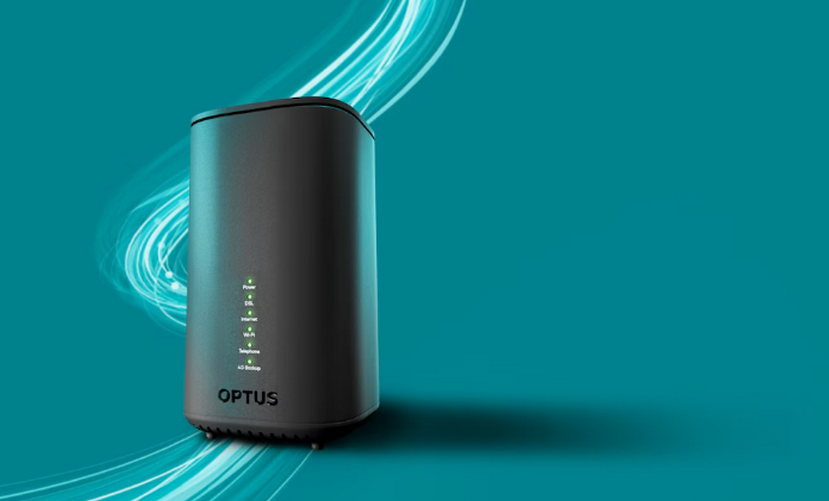
I usually start by checking the modem label or using the Optus app. These are the easiest methods.
How to Find Your Wi-Fi Password – Optus Modems & Routers
I usually start by checking the modem label or using the Optus app. These are the easiest methods.
1. Check the label on your Optus modem
Most Optus modems (Technicolor, Hitron, or Sagemcom models) have a sticker on the back or bottom showing:
Wi-Fi Network Name (SSID)
Wi-Fi Password (also called Wireless Key or Network Key)
👉 This is often the fastest way to find your password.
Write it down and keep it somewhere safe.
2. Use the My Optus App or Website
The My Optus app (iOS / Android) or the Optus website allows you to:
View your Wi-Fi password
Change your Wi-Fi password
Manage connected devices
This is especially useful if the modem label is hard to read or missing.
3. Modems with a display
Some Optus modems have a small screen or LED indicators that can show Wi-Fi information.
Check your modem’s guide to locate the password through the menu if available.
4. Find the password on a device already connected
On Windows
Settings → Network & Internet → Wi-Fi → Network properties → View password
On Mac
Keychain Access → Find your network → Show password
On iPhone / iPad
Settings → Wi-Fi → Tap your network → Password (iCloud Keychain required)
On Android
Settings → Network & Internet → Wi-Fi → Saved networks → View password
5. Reset your Optus modem (last resort)
If you cannot find the password:
Press and hold the reset button on the back of the modem for 10 seconds
The modem will reset to factory settings
A new Wi-Fi password will be generated
⚠️ All devices will need to reconnect using the new password.
Summary
- Check the label on your Optus modem
- Use the My Optus app or website
- Check modem display or settings
- Look on a device already connected
- Reset the modem if necessary
Thibaut Mathieu
End of the tutorial
Now you know how to get your Wi-Fi password with an Optus modem.

Solve internet issues
How to fix the main internet connections issues. Main troubleshooting steps.

Create desktop shorcuts
How to create shortcuts on the desktop.
Protect my computer using a password
How protect my computer with a password or a PIN code.

Connect a wifi printer
How connect a printer to your wifi network and how install it in Windows.

View Google browsing
How to check your Google browsing in Chrome, Edge or Firefox.
View Google browsing
How to check your Google browsing in Chrome, Edge or Firefox.

Adjust mobile’s volume

Thibaut MATHIEU
Editor of Premiers Clics
Editor and writer of Premiers Clics, and author of the book “Je me mets à l’informatique” (only avalaible in french), I share all my computer knowledge to help you learn the computer Basics.
Also the manager of a computer support and repair company, I fully understand your needs in computer training and assistance. Every day, I answer my clients’ questions about their computers, phones, or tablets.
This experience has given me extensive knowledge in consumer digital technology, allowing me to separate fact from fiction in device protection, identify the most common user mistakes, and provide numerous tips to make the best use of PCs, smartphones, and tablets.

0 commentaires